VValidatingPicker
Picker component with validation functionality.
V-ValidatingPicker inherits from V-Picker.
Basic Usage
Once an item is selected in the picker, the validation rules will be triggered automatically.

Use the ItemsSource property to bind the picker data source, which should be bound to an IList<ValidatableObject<T>> object.
Use the SelectedItem property to bind the currently selected item.
<control:VValidatingPicker ItemsSource="{Binding SalutationList}"
                            SelectedItem="{Binding SelectedSalutation}"
                            ValidateCommand="{Binding ValidateSalutationCommand}"></control:VValidatingPicker>
Validation Rules
The Validations property of the picker can contain multiple validation rules. Validation is considered successful only when all rules pass. In this example, the selected age must be between 18 and 21.
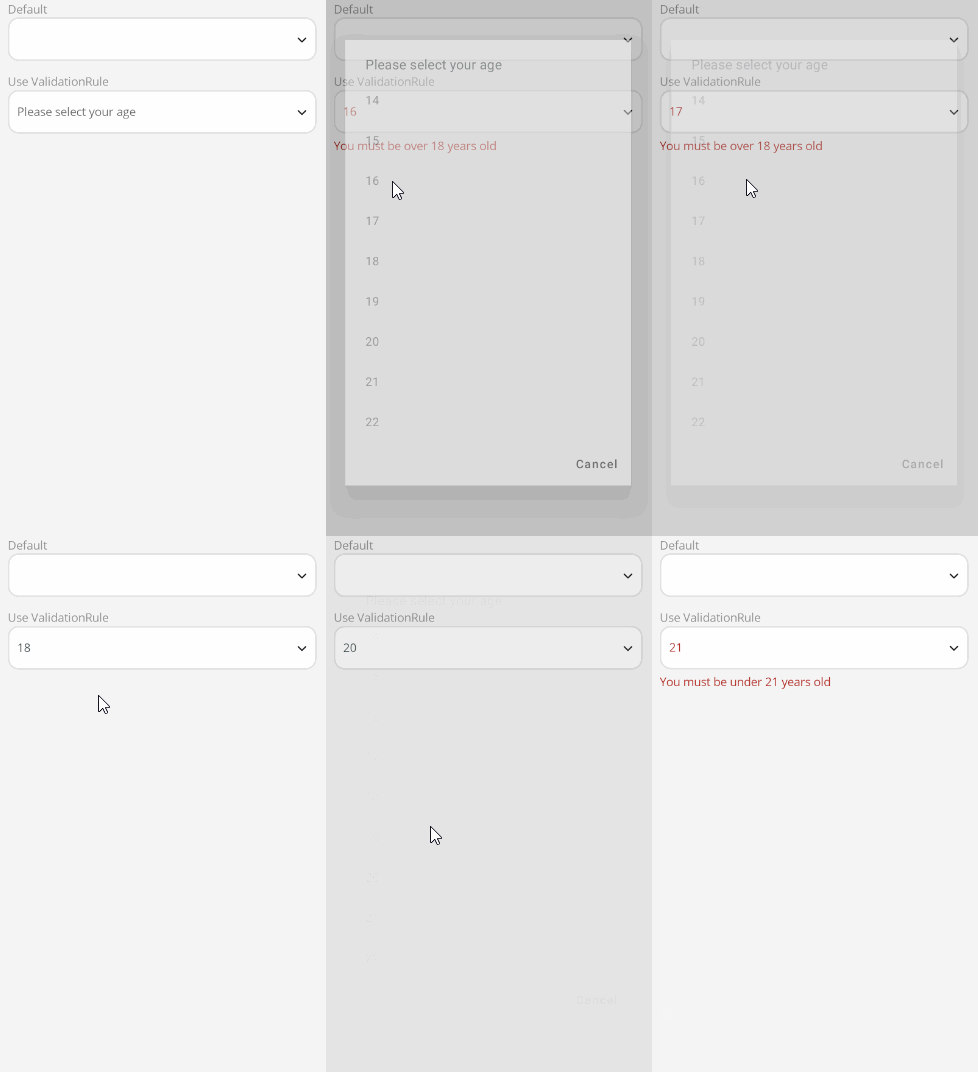
First, create an IList<ValidatableObject<T>> object AgeList and add data items in a loop.
ViewModel:
this.AgeList = new();
for (int i = 14; i < 23; i++)
{
    AgeList.Add(new ValidatableObject<PickerM>()
    {
        Value = new PickerM { Value = i.ToString() },
    });
}
Add validation rules:
var rules = new List<IValidationRule<PickerM>>() {
    new MoreThanRule<PickerM>(18, true) { ValidationMessage = "You must be over 18 years old" },
    new LessThanRule<PickerM>(21, false) { ValidationMessage = "You must be under 21 years old" }
};
this.AgeList = new();
for (int i = 14; i < 23; i++)
{
    AgeList.Add(new ValidatableObject<PickerM>()
    {
        Value = new PickerM { Value = i.ToString() },
        Validations = rules
    });
}
The validation rules are provided by the Validations property, which consists of a collection of validation rules.
V-Control includes the following default validation rules:
public class IsEmailRule<T>public class IsNotNullOrEmptyRule<T>public class IsUserNameOrEmailRule<T>public class MaxLenRule<T>public class MinCountOfDigitRule<T>public class MinCountOfUpperLetterRule<T>public class MinLenRule<T>public class LessThanRule<T>public class MoreThanRule<T>
ValidateCommand
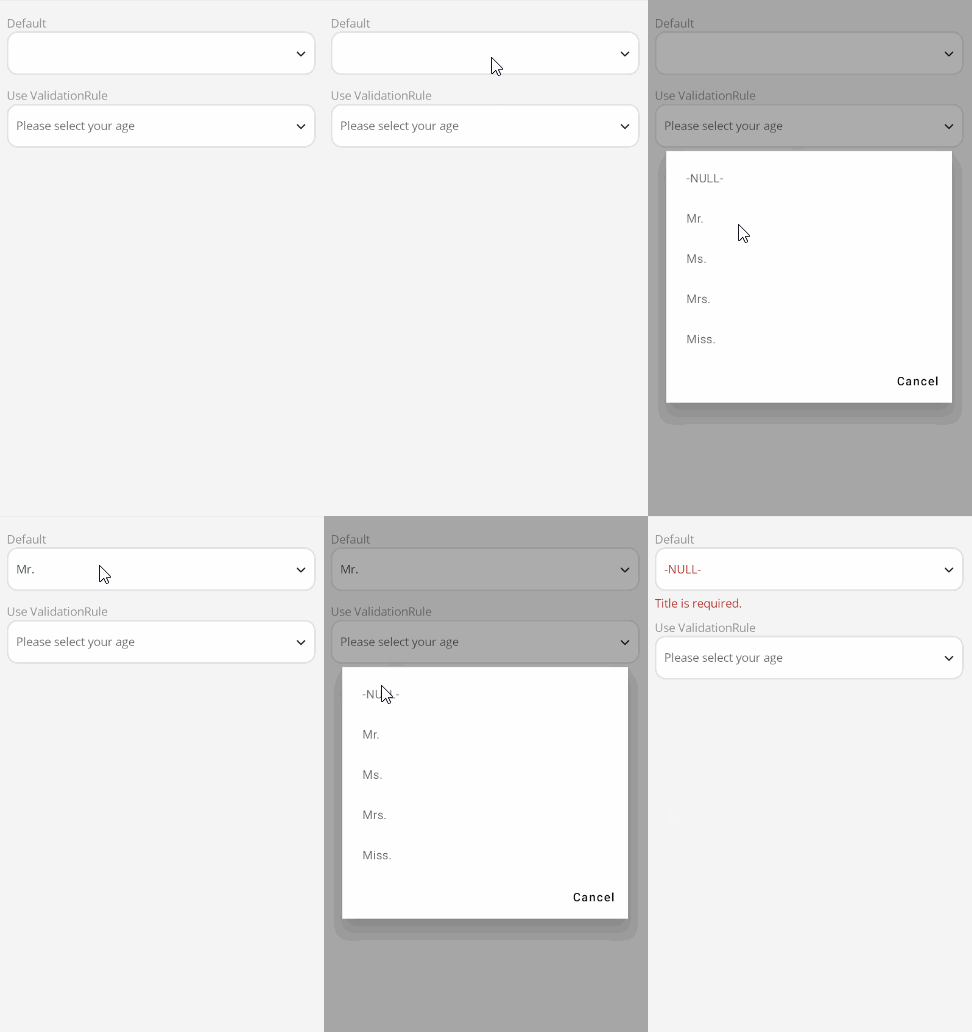
Use the ValidateCommand property to execute the command specified by ValidateCommand when validation is triggered.
<control:VValidatingPicker ItemsSource="{Binding SalutationList}"
                            SelectedItem="{Binding SelectedSalutation}"
                            ValidateCommand="{Binding ValidateSalutationCommand}"></control:VValidatingPicker>
In this example, you can perform a non-empty check for the salutation in the ValidateSalutationCommand.
ViewModel:
[RelayCommand]
private void ValidateSalutation()
{
    if (SelectedSalutation.Value != null && !string.IsNullOrEmpty(SelectedSalutation.Value.Id))
    {
        return;
    }
    SelectedSalutation.IsValid = false;
    SelectedSalutation.Errors = ["Title is required."];
}