VDatePicker
Used for selecting or inputting dates.
Basic Usage
Basic usage of the date picker.
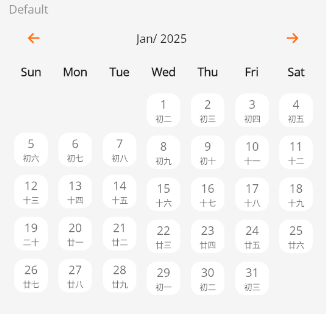
<control:VDatePicker></control:VDatePicker>
Date Selection Modes
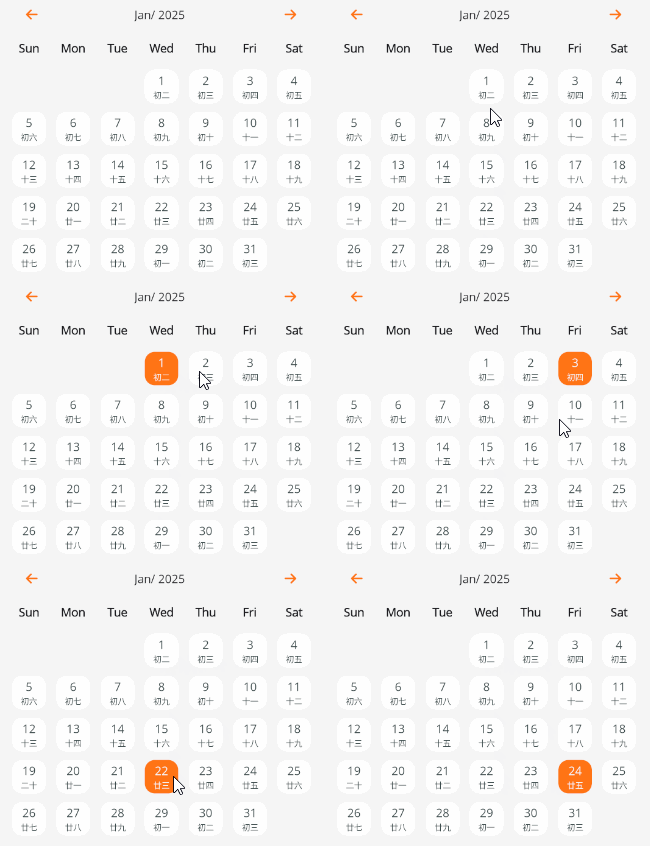
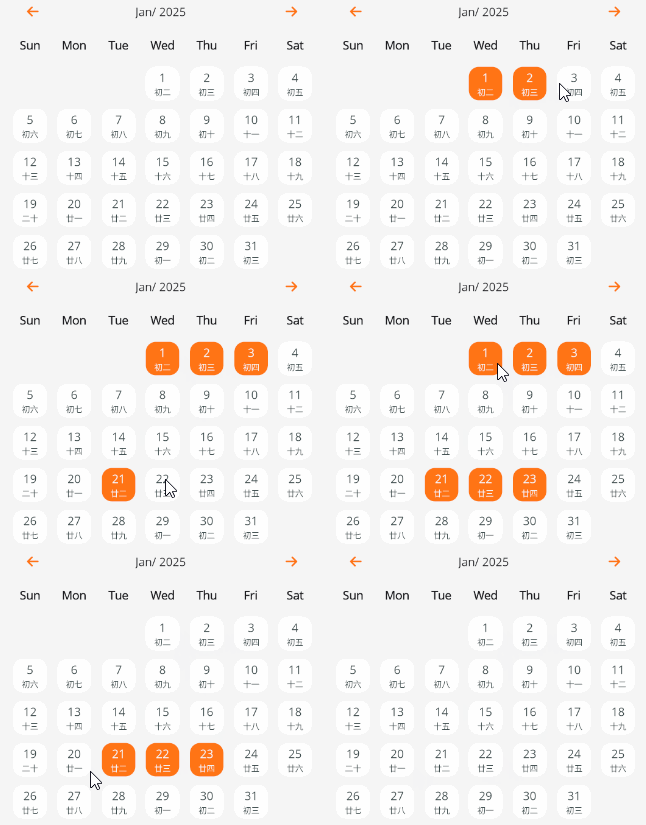
You can use the SelectionMode property to set the date selection mode.
Available selection modes are:
- Single - Single selection
- Multiple - Multiple selection
- Range - Range selection
Single selection
Multiple selection
Range selection
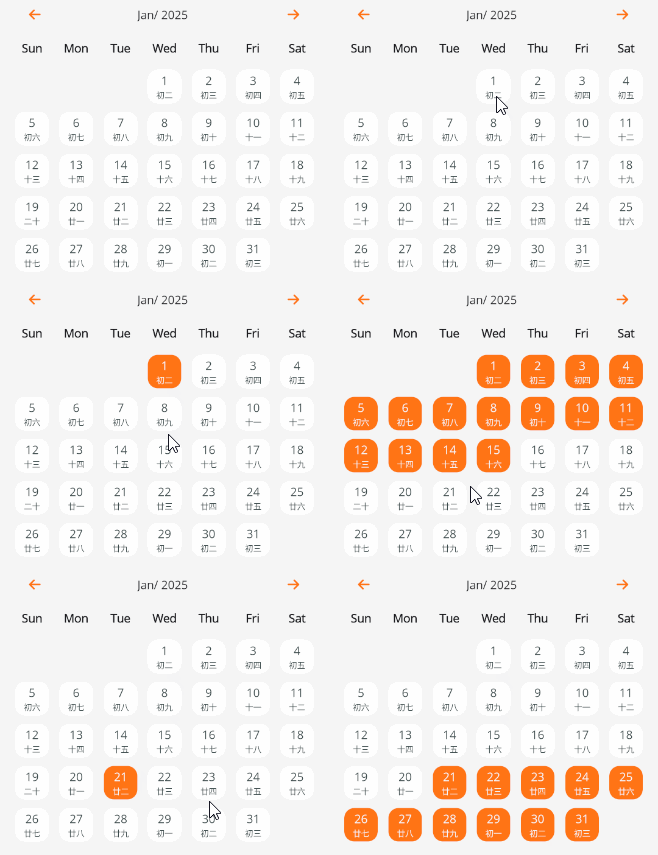
<control:VDatePicker SelectionMode="Multiple"></control:VDatePicker>
Default Value
By default, the date picker does not select any date.
You can use the SelectedDate property to set a default date.
SelectedDate is a two-way data-bound property. In single selection mode, updating the selected date will also update the SelectedDate value.
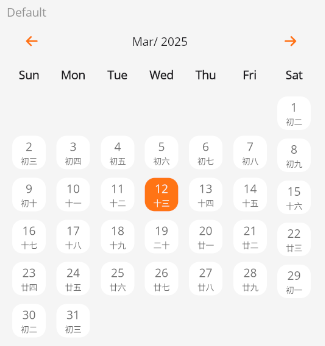
<control:VDatePicker SelectedDate="{Binding CurrentDate}"></control:VDatePicker>
Disabled State
Make the control unavailable.
Set the IsEnabled property to False.
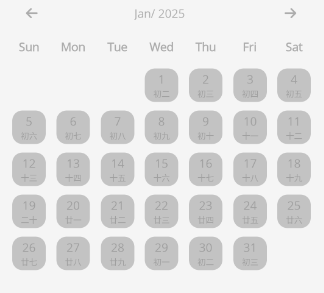
<control:VDatePicker IsEnabled="False"></control:VDatePicker>
Methods
Available methods:
SetAll(bool isAll)- Select or deselect all dates in the current month's view.TrySetSelectedDate(bool isSelected, DateTime date)- Set a selected date.JumpToDate(DateTime date)- Jump the control’s view to the month of the specified date.
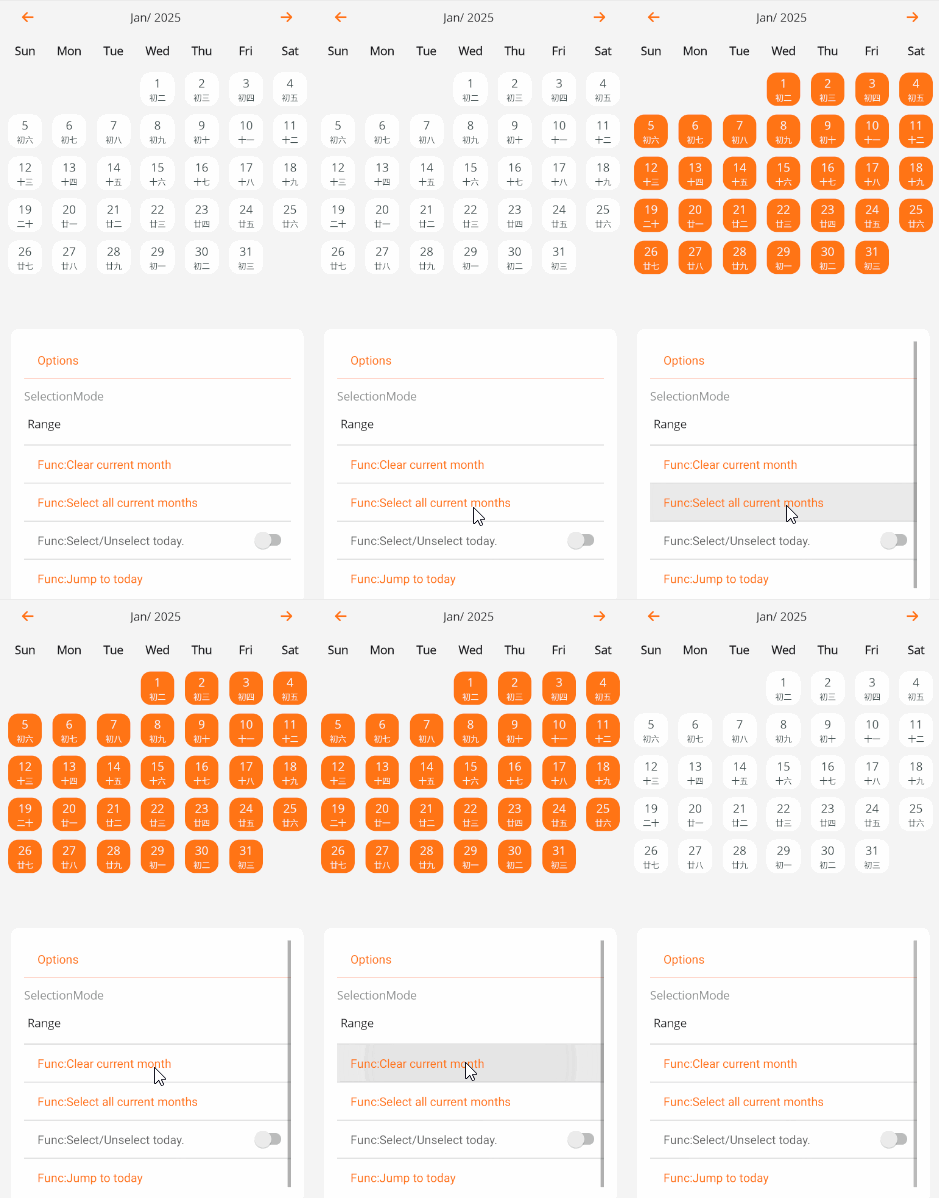
CodeBehind
private void TextCell_Tapped(object sender, EventArgs e)
{
    MainDatePicker.SetAll(false);
}

private void TextCell_Tapped_1(object sender, EventArgs e)
{
    MainDatePicker.SetAll(true);
}

private void TextCell_Tapped_2(object sender, EventArgs e)
{
    MainDatePicker.TrySetSelectedDate((sender as SwitchCell).On, DateTime.Now);
}

private void TextCell_Tapped_3(object sender, EventArgs e)
{
    MainDatePicker.JumpToDate(DateTime.Now);
}
Linking with Buttons
By using two-way binding with the SelectedDates property,
you can respond to and handle data changes in the ViewModel, enabling button interaction.
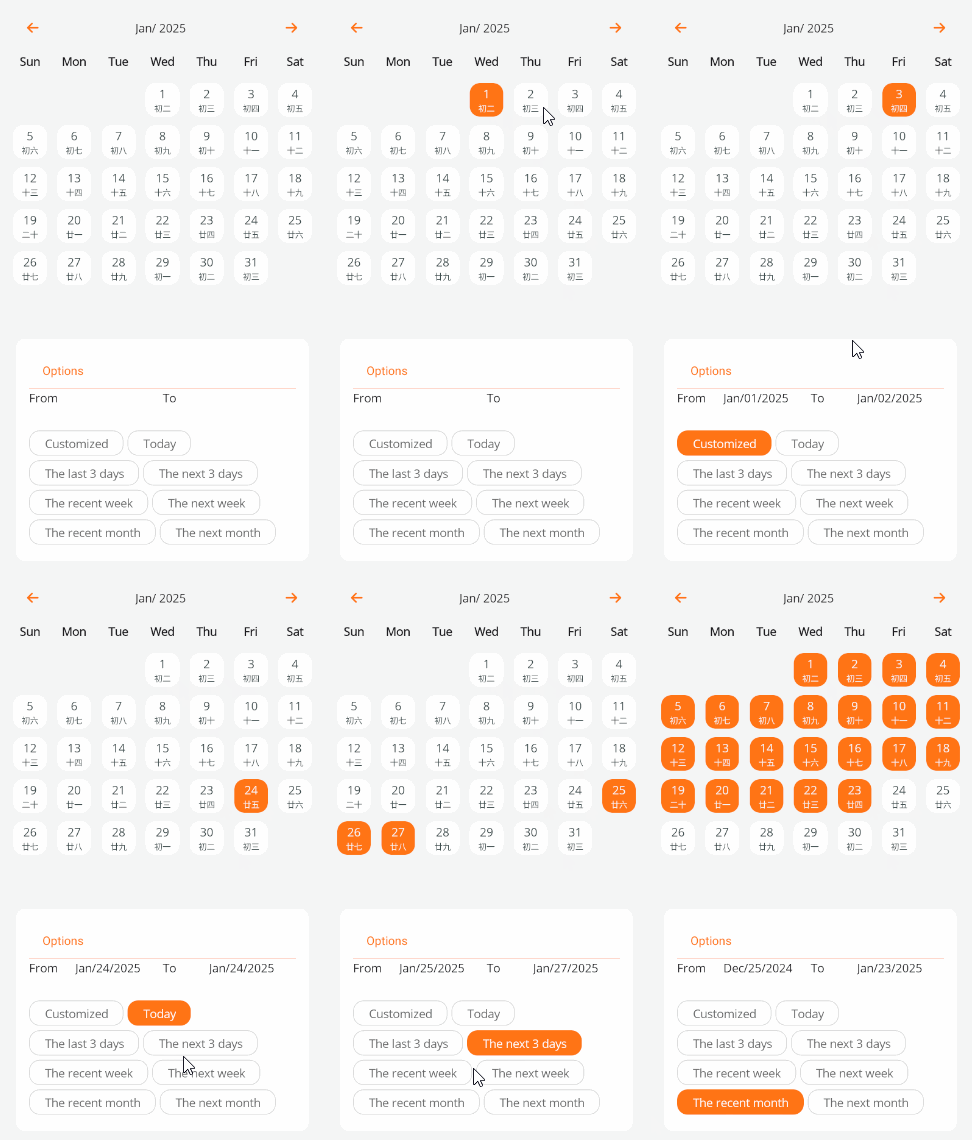
<control:VDatePicker SelectionChangedCommand="{Binding DateRangeSelectionChangedCommand}"
                        SelectedDates="{Binding Dates}"
                        SelectionMode="Range" />
ViewModel
private void UpdateDateTime(SearchItemM tempDateRange)
{
    var now = DateTime.Now;
    if (tempDateRange == null)
    {
        StartDate = default;
        EndDate = default;
    }
    else
    {
        switch (tempDateRange.Id)
        {
            case "Today":
                StartDate = now;
                EndDate = now;
                break;
            case "Last3":
                StartDate = now.AddDays(-3);
                EndDate = now.AddDays(-1);
                break;
            case "Next3":
                StartDate = now.AddDays(1);
                EndDate = now.AddDays(3);
                break;
            case "RecentWeek":
                StartDate = now.AddDays(-7);
                EndDate = now.AddDays(-1);
                break;
            case "NextWeek":
                StartDate = now.AddDays(1);
                EndDate = now.AddDays(7);
                break;
            case "RecentMonth":
                StartDate = now.AddDays(-30);
                EndDate = now.AddDays(-1);
                break;
            case "NextMonth":
                StartDate = now.AddDays(1);
                EndDate = now.AddDays(30);
                break;
        }
    }
}