VPicker
Selector Component.
Basic Usage

Use the ItemsSource property to bind the selector's data source, which should be an object bound to IList<ValidatableObject<T>>.
Use the SelectedItem property to bind the currently selected item.
<control:VPicker ItemsSource="{Binding SalutationList}"
                    DisplayPropertyName="Value"
                    SelectedItem="{Binding SelectedSalutation}"></control:VPicker>
Set the DisplayPropertyName property to specify the display attribute.
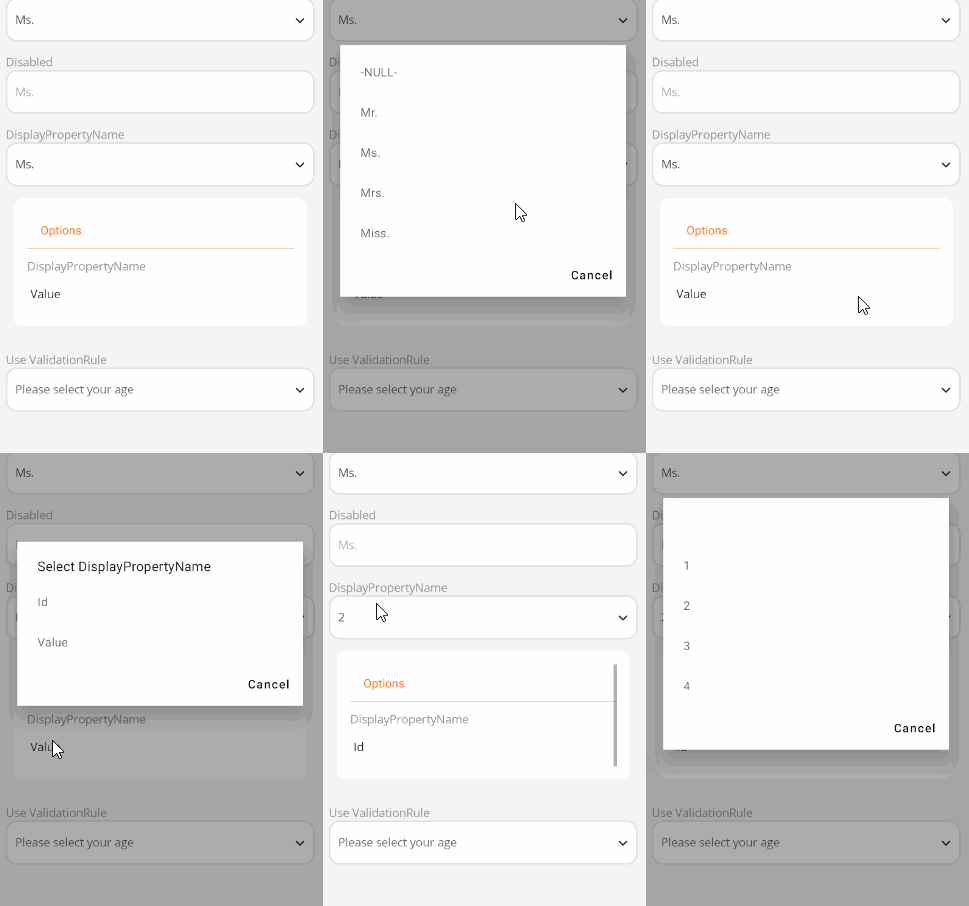
<control:VPicker ItemsSource="{Binding SalutationList}"
                DisplayPropertyName="Id"
                IsPickerEnabled="False"
                SelectedItem="{Binding SelectedSalutation}"></control:VPicker>
Placeholder Text

Use the PickerTitle property to set the placeholder text.
<control:VPicker ItemsSource="{Binding SalutationList}"
                PickerTitle="Please select a salutation"
                DisplayPropertyName="Value"
                SelectedItem="{Binding SelectedSalutation}"></control:VPicker>
Disabled State

Use the IsPickerEnabled property to set whether the component is enabled.
<control:VPicker ItemsSource="{Binding SalutationList}"
                DisplayPropertyName="Value"
                IsPickerEnabled="False"
                SelectedItem="{Binding SelectedSalutation}"></control:VPicker>