VCheckBoxGroup
一组CheckBoxButton集合,用于实现多选或单选功能。
基础用法
使用 ItemsSource 属性来绑定数据。
SelectedItems 和 SelectedItem 属性用于获取选中的数据。
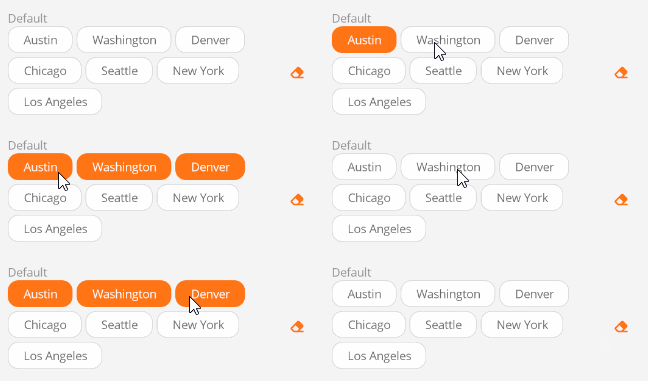
<control:VCheckBoxGroup ItemsSource="{Binding CityList}"/>
ViewModel:
CityList = new ObservableCollection<string>()
{
    "Austin",
    "Washington",
    "Denver",
    "Chicago",
    "Seattle",
    "New York",
    "Los Angeles",

};
设置 DisplayPropertyName 属性来指定显示的属性。
<control:VCheckBoxGroup DisplayPropertyName="Title"
                        ItemsSource="{Binding CityList}"/>
单项选择
设置 IsSingleSelection 属性为 True 即可。
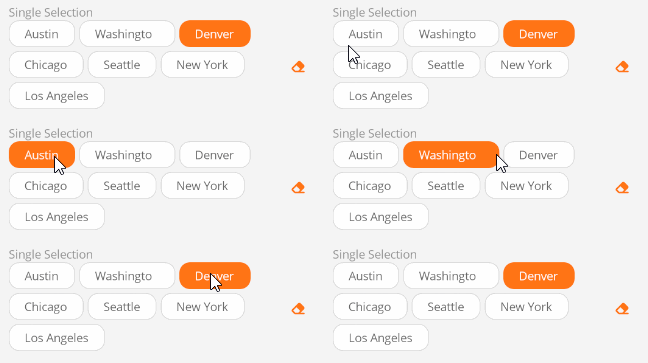
<control:VCheckBoxGroup ItemsSource="{Binding CityList}"
                        IsSingleSelection="True" />
删除按钮
使用 HasRemove 属性来显示或隐藏删除按钮。
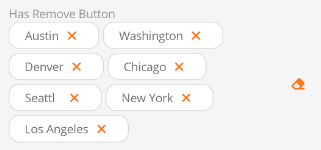
<control:VCheckBoxGroup ItemsSource="{Binding CityList}"
                        HasRemove="True"  />
更改方向
使用 Direction 属性来更改多选框的显示方向。默认为 Row。
可选的方向
- Column - 垂直堆叠。
- ColumnReverse - 反向顺序垂直堆叠。
- Row - 水平堆叠。
- RowReverse - 反向顺序水平堆叠。
垂直堆叠:
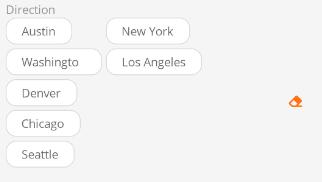
<control:VCheckBoxGroup ItemsSource="{Binding CityList}"
                        HeightRequest="200"
                        Direction="Column"
                            />
反向顺序水平堆叠:
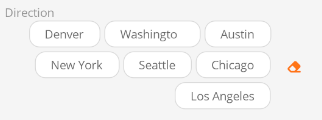
<control:VCheckBoxGroup ItemsSource="{Binding CityList}"
                        Direction="RowReverse" />
禁用状态
多选框不可用状态。
设置 Enabled属性为 False 即可。

<control:VCheckBoxGroup ItemsSource="{Binding CityList}"
                        IsEnabled="False" />
隐藏清空按钮
清空按钮用于清除所有选中项。如果不需要清空按钮,设置 HasClear 属性为 False 即可。
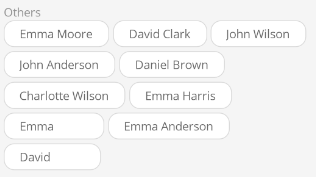
<control:VCheckBoxGroup ItemsSource="{Binding CityList}"
                        HasClear="False" />